
Adding notifications
To publish notifications, a public API is implemented, accessed through calling the corresponding methods of the global Kommo object APP. When you call the method, you need to transfer an object with a description of the notification.
Information notification
The method is designed to trigger a pop-up notification, which will only appear in the interface and will not be duplicated on other delivery channels.
Method name
show_message()
| Parameter | Required? | Description |
|---|---|---|
| header | ✅ | Post Title |
| text | ✅ | Notification text |
| date | ❌ | Date in Unix Timestamp format |
| icon | ❌ | URL to an icon file. If not passed, then the default icon of robot is used. |
Example:
var message_params = {
  header: "Warning",
  text: "Connection established",
  date: 1714566795,
  icon: "https://www.example.com/images/telephone.png"
};
APP.notifications.show_message(message_params);Result:

Error notification
The method will show an error notification in the account interface, and the message will not be sent through other delivery channels.
Method name
show_message_error()
Parameters
| Parameter | Required? | Description |
|---|---|---|
| header | ✅ | Post Title |
| text | ✅ | Notification text |
| date | ❌ | Date in Unix Timestamp format |
| link | ❌ | The URL where a user will be redirected if they click the notification. |
Example
var error_params = {
header: "Warning",
text: "Connection to the server is lost"
};
APP.notifications.show_message_error(error_params);
Result

Call notification
The method enables you to show a pop-up notification for a call or an error. If you utilize this feature, it will only appear in the interface and will not be sent through other channels.
Method name
show_notification()
Parameters
| Parameter | Required? | Description |
|---|---|---|
| text | ✅ | Array with a description of the message |
| text/header | ✅ | Notification Header |
| text/text | ✅ | Text message |
| date | ❌ | Date in Unix Timestamp format |
| type | ✅ | Type of pop-up notification(call or error) |
Example
var notification = {
  text: {
    header: "Outgoing call",
    text: "Dialing the number +19872345678"
  },
  type: "call"
};
APP.notifications.show_notification(notification);
Result

Example
var notification = {
  text: {
    header: "Error",
    text: "Error working with the widget"
  },
  type: "error"
};
APP.notifications.show_notification(notification);
Result

Send error notification
The method allows you to add an error notification to the Notification Center.
The message will be sent through all active notification channels in the account.
Method name
add_error()
Parameters
| Parameter | Required? | Description |
|---|---|---|
| header | ❌ | Post Title |
| text | ✅ | Notification text |
| date | ❌ | Date in Unix Timestamp format |
| link | ❌ | The URL where a user will be redirected if they click the notification. |
Example
var error_params = {
    header: "Error",
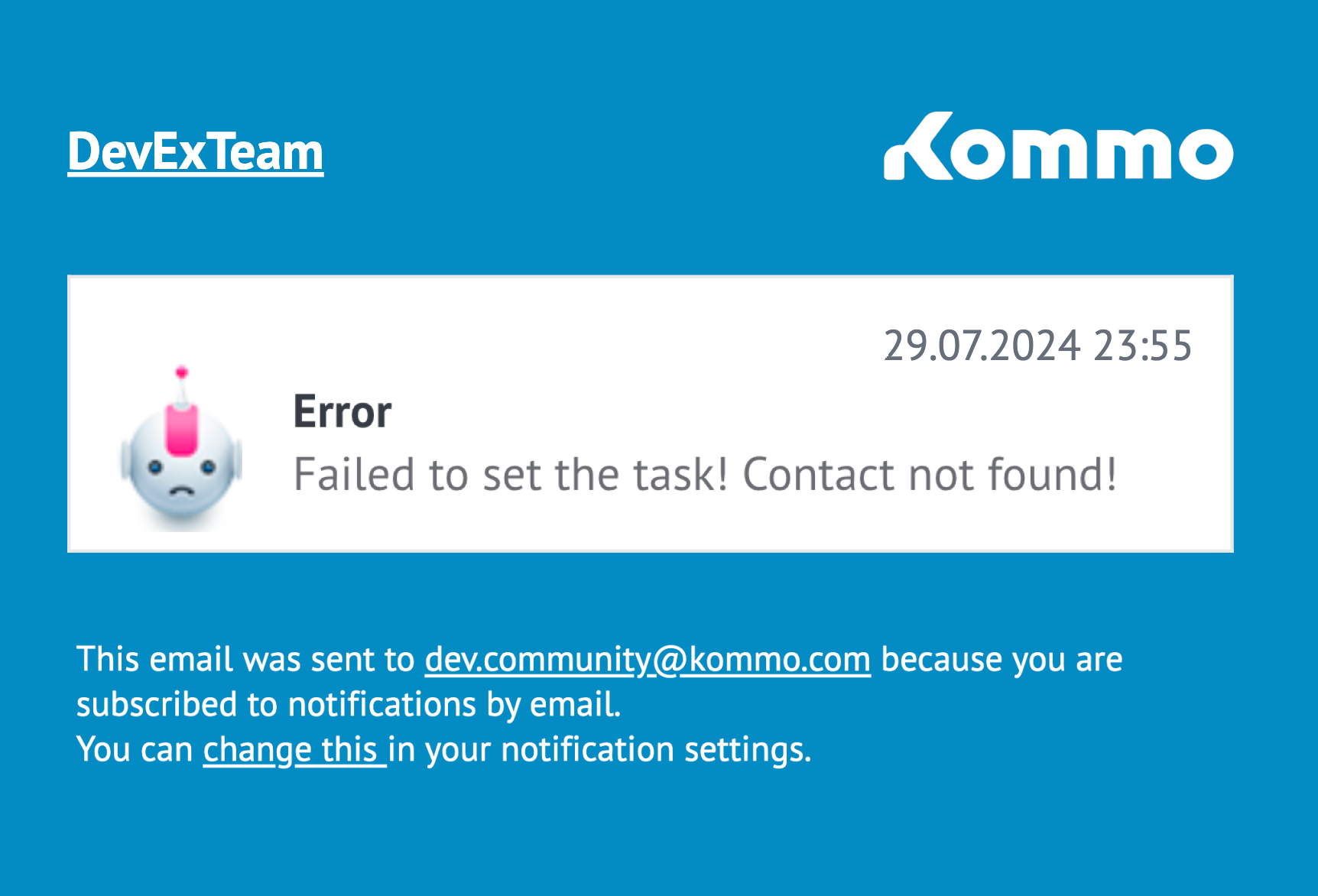
    text: "Failed to set the task! Contact not found!",
    date: 1714566795,
    link: "/contacts/list/?term=4951234567"
};
APP.notifications.add_error(error_params);
Result

An email notification about the error:
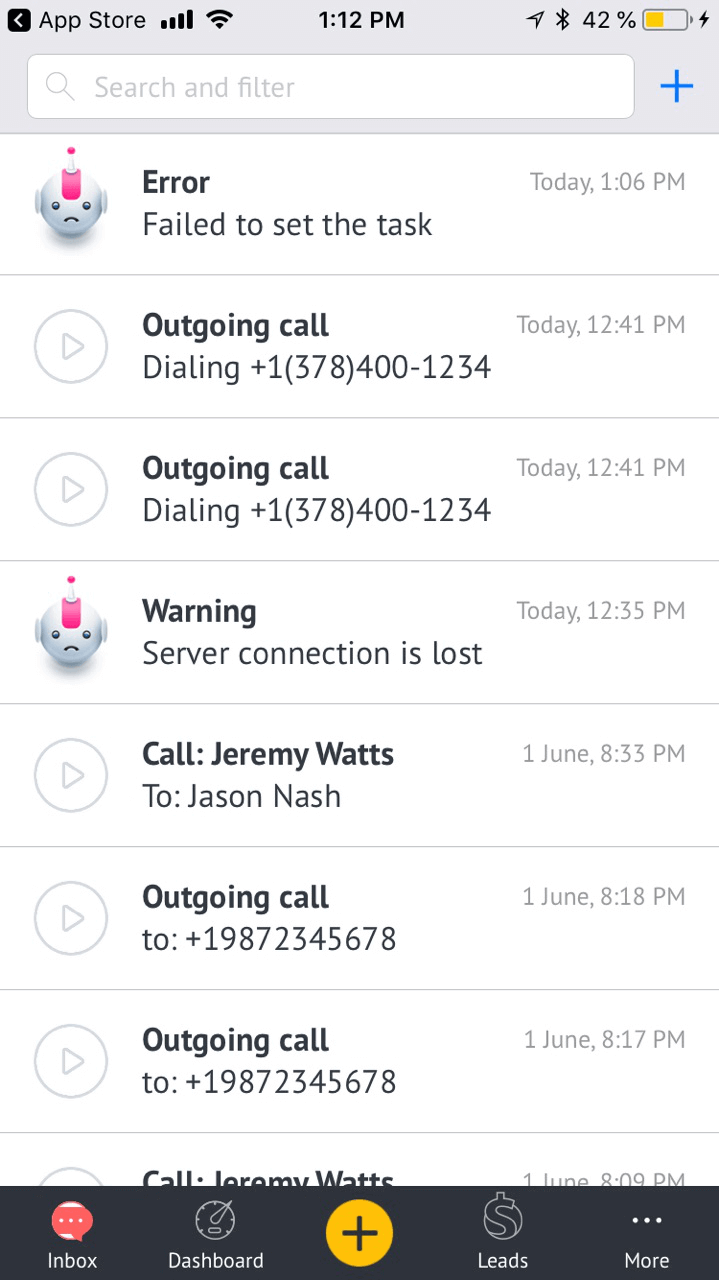
Notification that has come to the mobile application:
Incoming call notification
The Notification Center API allows you to display an incoming call message. The notification will be transmitted over all active delivery channels.
Method name
add_call()
Parameters
| Parameter | Required? | Description |
|---|---|---|
| text | ✅ | The text message that will be displayed in the notification. |
| date | ❌ | Date in Unix Timestamp format |
| from | ❌ | The line specifies the initiator of the incoming call. It displays the phone number if it is not found in your contact list, and the contact name if the call came from a number in your contact list. |
| to | ❌ | Manager name or extension number of the subscriber who received the incoming call. |
| element | ❌ | An object describing the target entity for the transition when clicking the pop-up call notification. |
| element.id | ✅ | Entity ID |
| element.type | ✅ | Entity type: contact, lead or company |
| link | ❌ | A link to a recording of the call |
Parameter
var call_params = {
  text: "Call from +1 (415) 523-7743",
  date: 1714566795,
  from: "Jeremy Watts",
  to: "Jason Nash",
  element: { id: 18221265, type: "contact" },
  duration: 250,
  link: 'https://example.com/dialog.mp3'
};
APP.notifications.add_call(call_params);
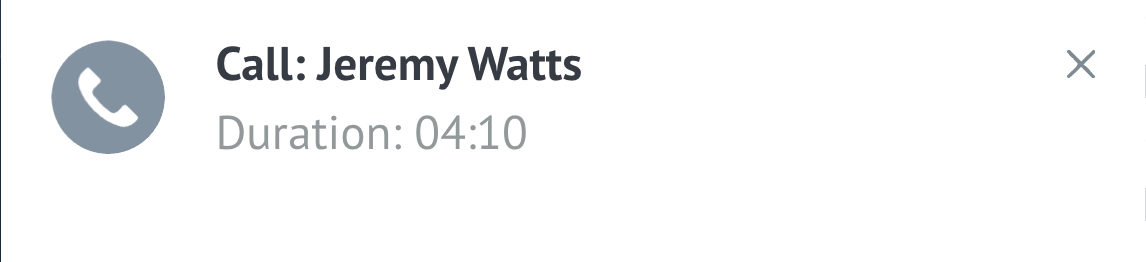
Result
Updated about 1 month ago