
Webhooks in Digital Pipeline
WebHooks in digital pipeline
Webhooks are notifications sent to third-party applications to inform them about events that have occurred in Kommo. You can configure the HTTP addresses of your applications and associated rules in the digital pipeline settings in Kommo.
More information about this technology can be found in the WebHooks REST API section. Although the technology used for Webhooks in the digital pipeline is similar to that in the account settings (Settings ➡ Integration ➡ Web hooks), there are several differences between them:
- First, the list of events for which notifications are sent is more limited for Digital Pipeline webhooks.
- Second, the retry logic. If an invalid response is received, the system performs up to 4 delivery retry attempts within a one-hour period. Retries may be temporarily disabled for a specific address under the following condition: if more than 100 invalid responses are received from that address within the last 5 minutes. When this threshold is exceeded, the system suspends retry attempts for 5 minutes, starting from the moment the threshold is reached. After this suspension period elapses, the retry mechanism automatically resumes.
List of possible events:
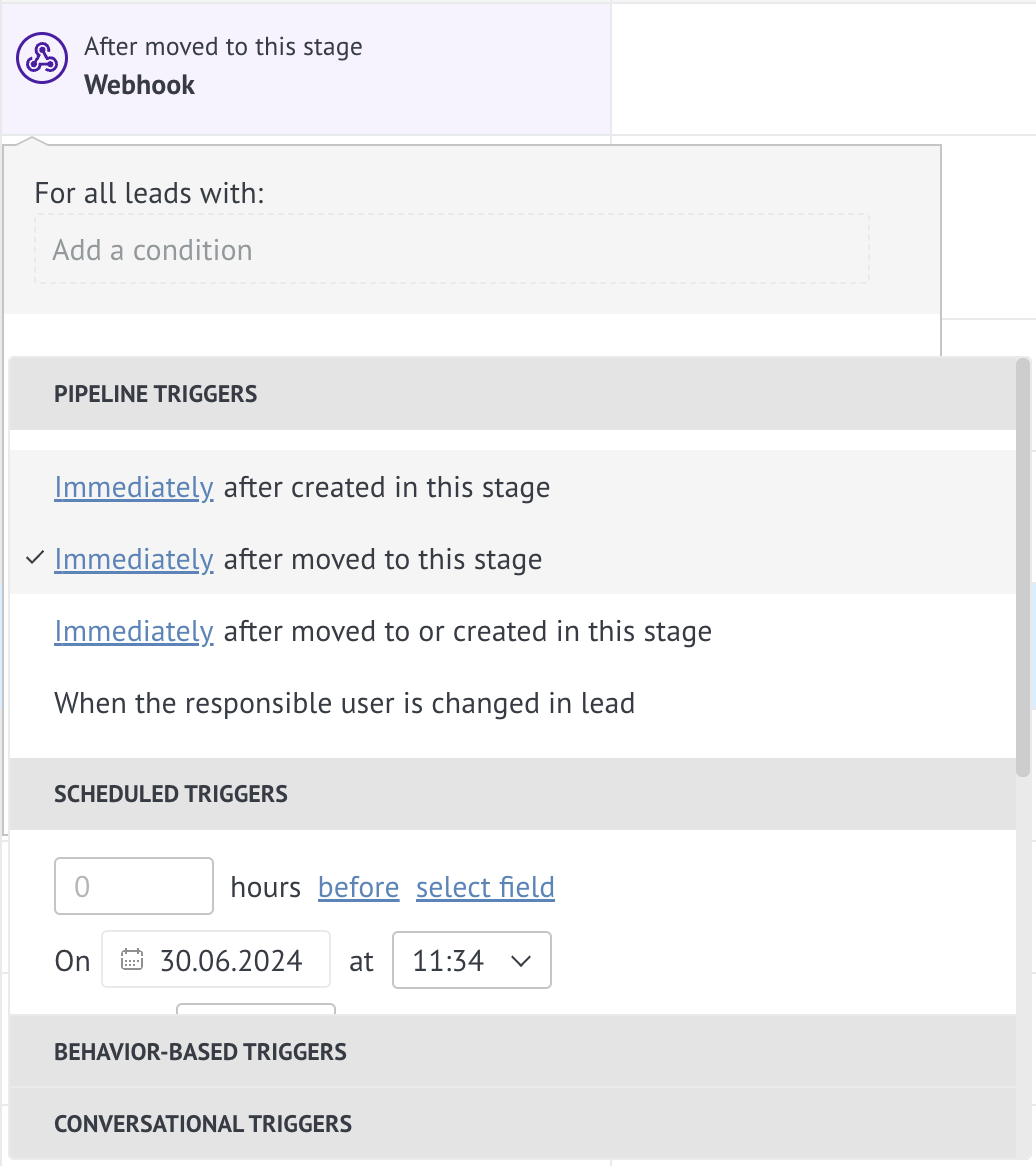
- Incoming email
- Incoming call
- Incoming chat message
- Visiting the site
- Changing a stage
To create a webhook
Go to the Digital Pipeline (Leads ➡ Automate in the top right corner) and select to add an automatic action for all leads on the stage you need.
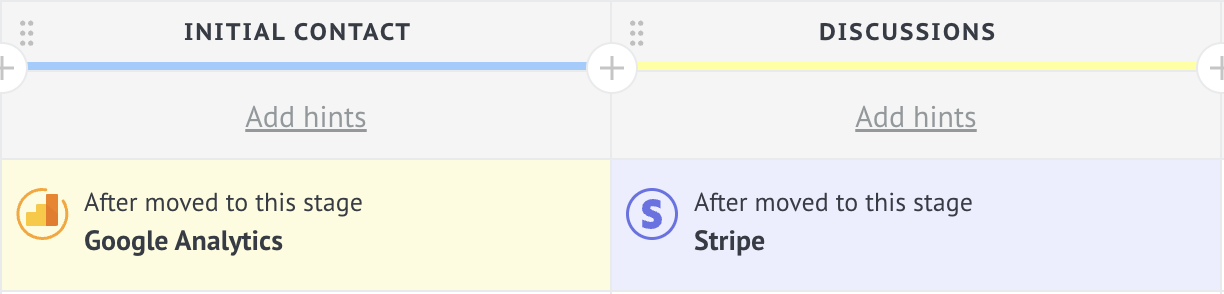
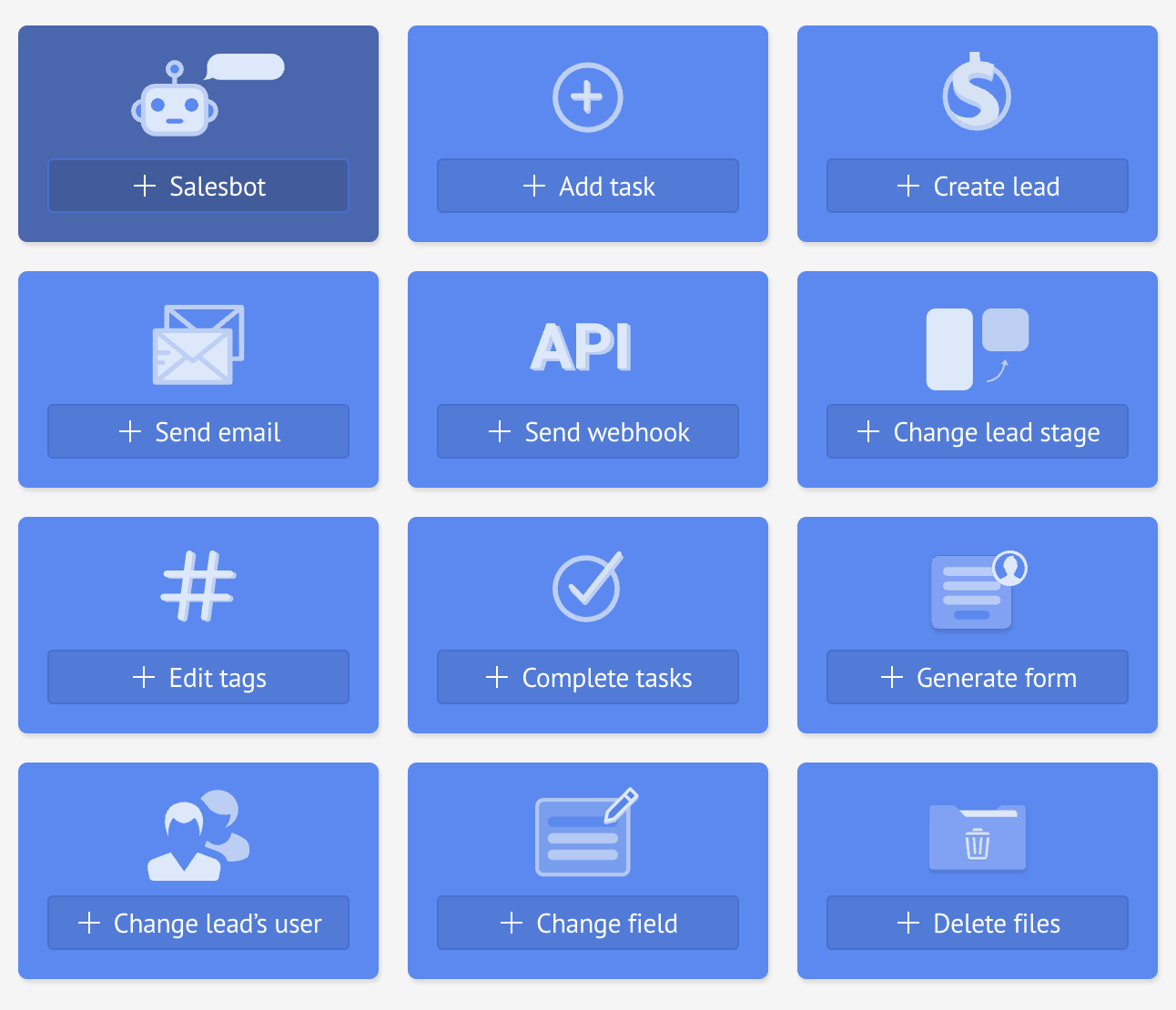
Then select API: + Send webhook.
Select the event that will trigger the webhook.
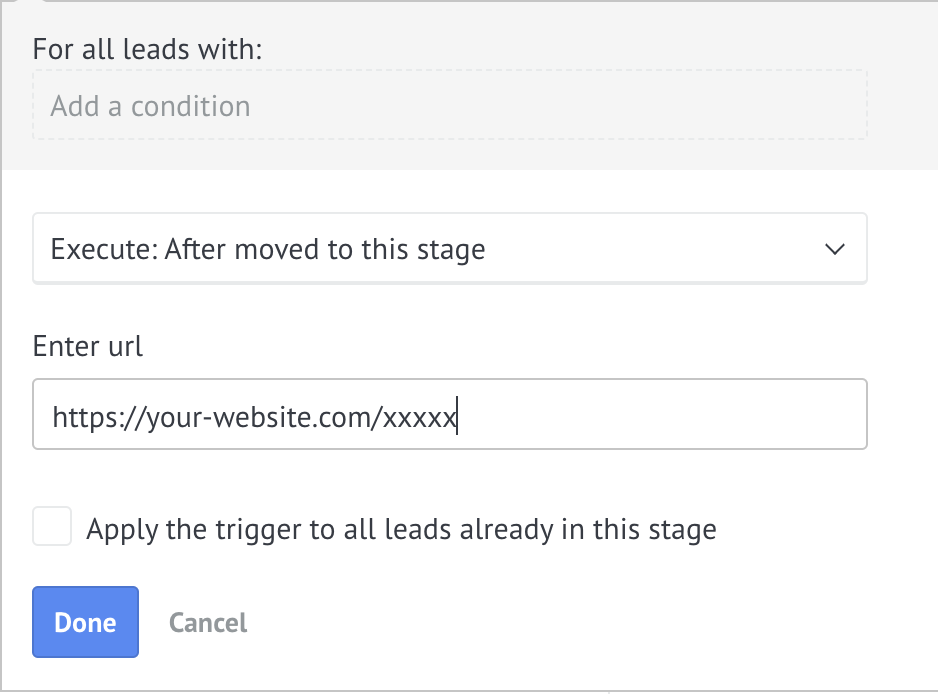
Enter the URL to which the webhook will be sent.
Format of the data to be sent
The webhook sends a POST request to the third-party application containing a variable with the following format: {"lead":{"event":{entity fields array}}}.
Event Settings
| Parameter | Description |
|---|---|
| call_in | Incoming call event |
| chat | An event with an incoming message from the chat |
| site_visit | Event when website is visited |
| mail_in | Incoming mail event |
| status | Moving to a stage event |
Field Parameters of the Entity
| Parameter | Description |
|---|---|
| id | Lead ID |
| old_pipeline_id | ID of the previous digital pipeline |
| pipeline_id | ID of the new digital pipeline |
| old_status_id | ID of the previous |
| status_id | ID of the new stage |
Examples
Incoming email event:
{
    "leads": {
        "mail_in": {[
            "id": XXXXXXX,
            "pipeline_id": 1111XXX,
            "status_id": 2222XXX
        ]}
    }
}
Moving to another stage event:
{
    "leads": {
        "status": {[
            "id": XXXXXXX,
            "old_pipeline_id": 123XXX,
            "pipeline_id": 321XXXX,
            "old_status_id": 567XXXX
            "status_id": 765XXXX
        ]}
    }
}
Updated 6 months ago